
Confidently program complex Multi-Task Machines (MTM)
This Advanced Turningn II (MTM and Multi-Axis) live online training dives deep into the powerful turning and Multi-Task Machining (MTM) capabilities within GibbsCAM. Learn how to confidently program complex turning operations on machines with live tooling, sub-spindles, Y and B axes, and control multiple tool groups cutting simultaneously (multi-flow synch control). Our expert instructors demonstrate strategies that boost productivity and accuracy, while advocating best-practice workflows that you can apply immediately.
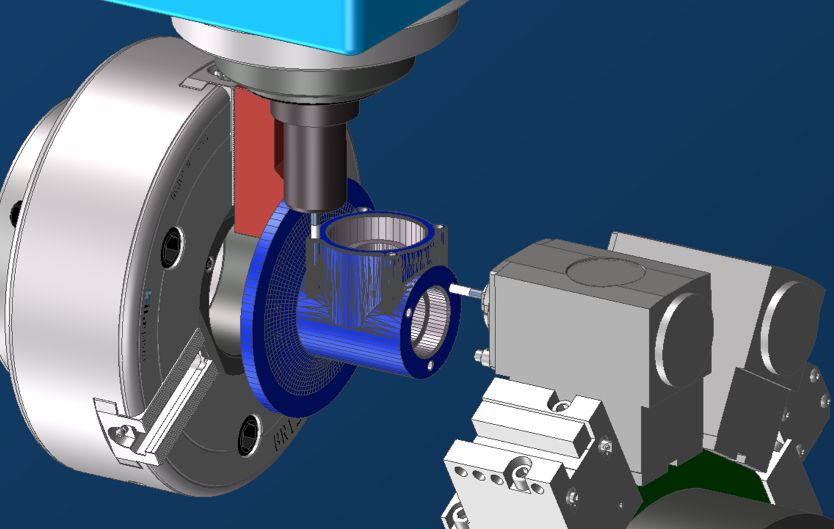
Advanced Turning II Topics Include:
- Fundamentals of 4&5-axis milling programming for MTM platforms and integrating multi-axis turning strategies
- How to define and manage Intermediate Tool Blocks, fixtures, and optimize your database
- Using a multi-function tool to perform more than one type of operation (Drilling and Turning)
- Programming elliptical contouring on non-circular surfaces.
- Interpolated turning using tool axis control to maintain normal-to-surface engagement.
- Eccentric turning setups and strategies for off-center features.
- Pinch turn roughing technique where two opposing tools cut the same feature simultaneously.
- Implementing Y-axis turning allowing material to be removed using coordinated X, Y, and spindle motion rather than being constrained to the traditional X-Z plane.
- Sync Control fundamentals for coordinating multi-flow (2-flow and more) machining sequences.
- Using the Move Tool Group utility provides explicit control over tool group positioning, allowing turrets or spindles to be safely parked or relocated while maintaining synchronization and uninterrupted machining flow on MTM machines.
- Sub-spindle operations in, out, shift, return techniques for efficient MTM workflow.
- B-axis turning allows either indexed (positional) or continuously controlled (variable) tool orientation, enabling advanced turning strategies on MTM platforms.
Meet Your Instructor:
Brian Slonski
As the instructor for the more advanced training classes, Brian enjoys helping students solve challenging problems and introducing them to powerful new features. He equips students with the skills they need to tackle advanced programming challenges and get parts out the door.
Expert Support
Learning GibbsCAM is an investment in your skills and productivity. That’s why our courses include dedicated technical support from instructors and engineers with decades of real-world manufacturing and GibbsCAM experience—so you get the most from every class.

How to Buy
Live, Online Training:
Our live online format delivers a true classroom-style experience, with full two-way screen sharing between students and instructors. You can ask questions, get instant feedback, and follow along step-by-step—all from anywhere, whether you’re at the shop or learning from home.
Advanced Turning II
Aug 25-Sept 4, 2026
$1,545
6 classes over 2 weeks
Aug 25-28 & Sept 1-2
9am-12pm Pacific Time
Live Training Schedule
Frequently
Asked Questions
Discover our other GibbsCAM Training Courses
Designed to provide a foundational understanding of GibbsCAM software, ideal for beginners or those looking to refresh their skills.
A deeper dive into the powerful capabilities of GibbsCAM, including working with solid models and coordinate system control.